Wedding photo sharing: how to collect every guest's photos
The complete guide: every way to collect your guests' photos and videos, how to set it up, and what to do with them after the day.
Updated · 10 min read·By the DropSnaps team
Questions people ask
How do I get all my wedding guests' photos in one place?
Give guests one place to put them before the day starts. A QR code photo-sharing page works best: guests scan it, choose photos from their camera roll and upload in full quality, and everything lands in one gallery you can download afterwards.
Do guests need to download an app?
Not with DropSnaps. Guests scan the QR code or open the link, and the event opens in their phone's web browser. There's no app to install and no account to create.
Can guests upload videos as well as photos?
Yes, on the Standard and Premium plans. Videos recorded on iPhones are converted so they play on every phone, laptop and TV. The Free plan is for photos.
How long after the wedding can guests keep sharing?
For as long as uploads are open and the event is kept. Many couples send the link round the morning after, when guests are going through their camera rolls. You can close uploads at any time.
Your photographer will capture the ceremony, the portraits and the first dance. Your guests will capture everything else: the getting-ready chaos, the view from table nine, the speeches from the back of the room and the dance floor long after the photographer has gone home. This guide covers how to gather all of those photos and videos in one place, without chasing people for weeks afterwards.
Why your guests' photos matter
Guests see the day from angles nobody else does. Between them they take hundreds of photos, and most of those never leave their phones.
Different moments. The photographer follows the two of you. Guests photograph each other, the children on the dance floor and the grandparents at the back.
The whole day. Many photographers leave after the first dance. Your guests are still there at midnight.
Straight away. Professional photos take weeks to edit. Guests' photos can be with you the same evening.
Video. Speeches, the first dance and the dance floor are better as video, and guests film plenty of it.
The main ways to collect them
There are five common approaches. They suit different couples, and plenty of people combine two. Our honest comparison goes into more detail.
Shared albums
Google Photos and iCloud shared albums are free and familiar. The catch is that guests usually need an account with that service to add photos, so a mixed crowd of iPhone and Android users can't all join in easily. Someone also has to invite everyone, one by one.
A WhatsApp group
Everyone has WhatsApp, so it's easy to start. But photos are compressed unless people remember to send them in HD or as documents, they get buried between the messages, and saving them all afterwards is slow.
Disposable cameras
Cameras on the tables are fun and give a lovely nostalgic look. But each one takes a fixed number of shots, there's no video, you wait for the developing, and a fair few photos come back dark or blurry.
A hashtag
A wedding hashtag only reaches guests who post publicly on social media, and you can't download the full-quality originals afterwards. It also puts your day in public, which not every couple wants.
A QR code photo-sharing page
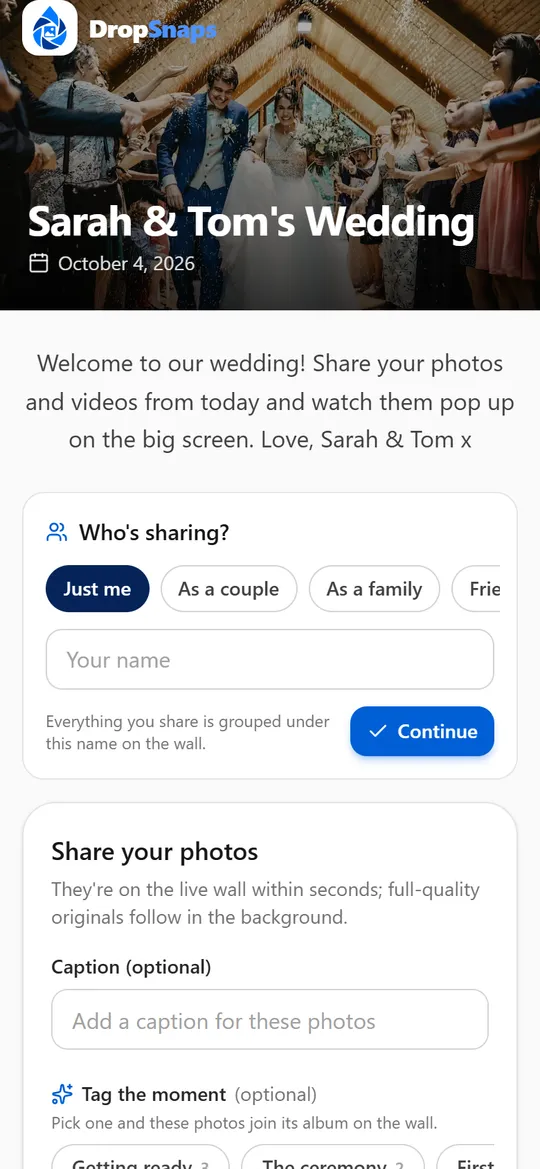
A photo-sharing service like DropSnaps gives your wedding its own page. Guests scan a QR code, choose photos and videos from their camera roll and upload them in full quality, with no app to install and no account to create. Everything lands in one gallery that you can show on a screen at the reception and download afterwards.
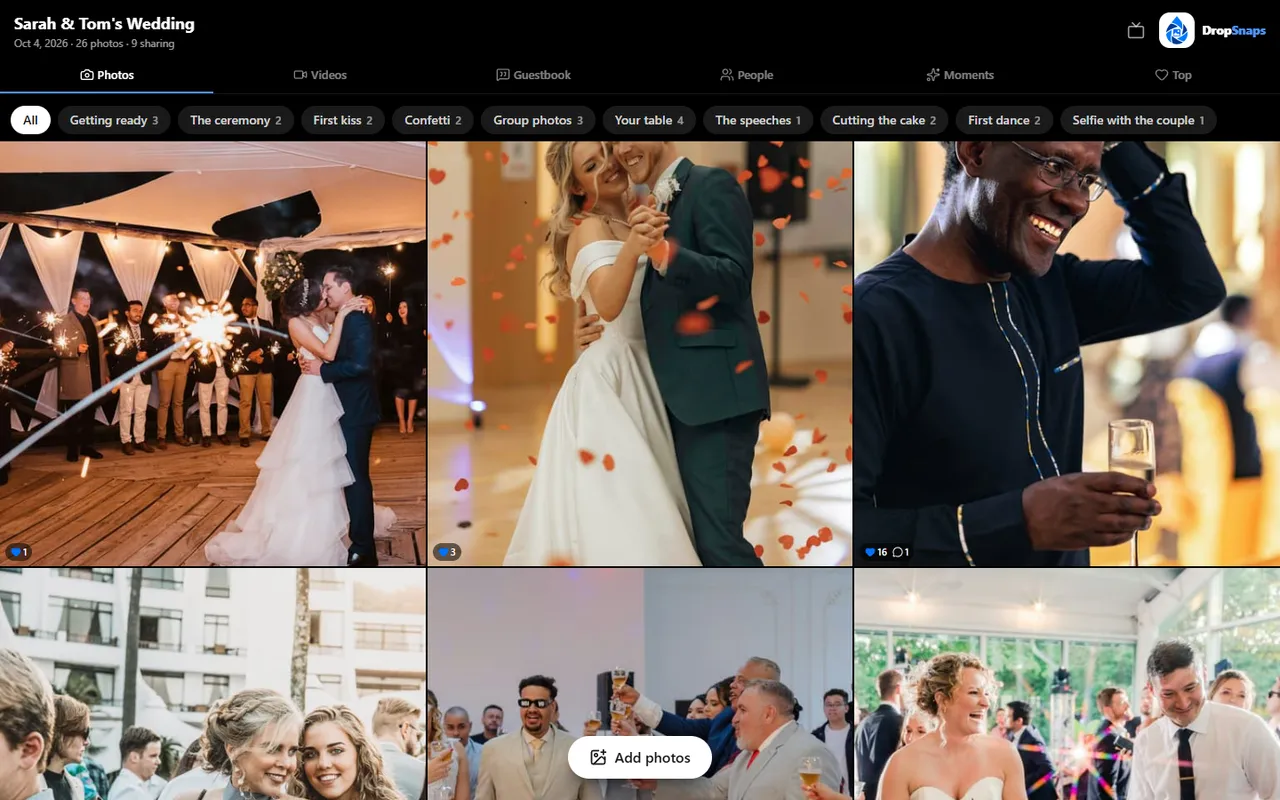
What guests see when they scan the QR code
Setting it up, step by step
Create your event a few weeks before. Give it your names and the date, then open it on your own phone and upload a test photo, so you know exactly what guests will see.
Choose your privacy settings. Decide whether you want a PIN, whether people can find the event by searching its name, and whether photos need your approval before they appear. Our privacy guide explains each option.
Put the QR code everywhere guests look. On the invitations or wedding website, the order of service, every table, the bar and a sign at the entrance. See where to put your QR code for sizes and wording.
Pick your moment tags. Tags like "First dance", "Your table" and "Selfie with the couple" give guests ideas, and they sort the photos into albums for you.
Plan the announcement. Ask your MC or best man to mention it after the speeches. Our ideas for getting guests sharing include wording that works.
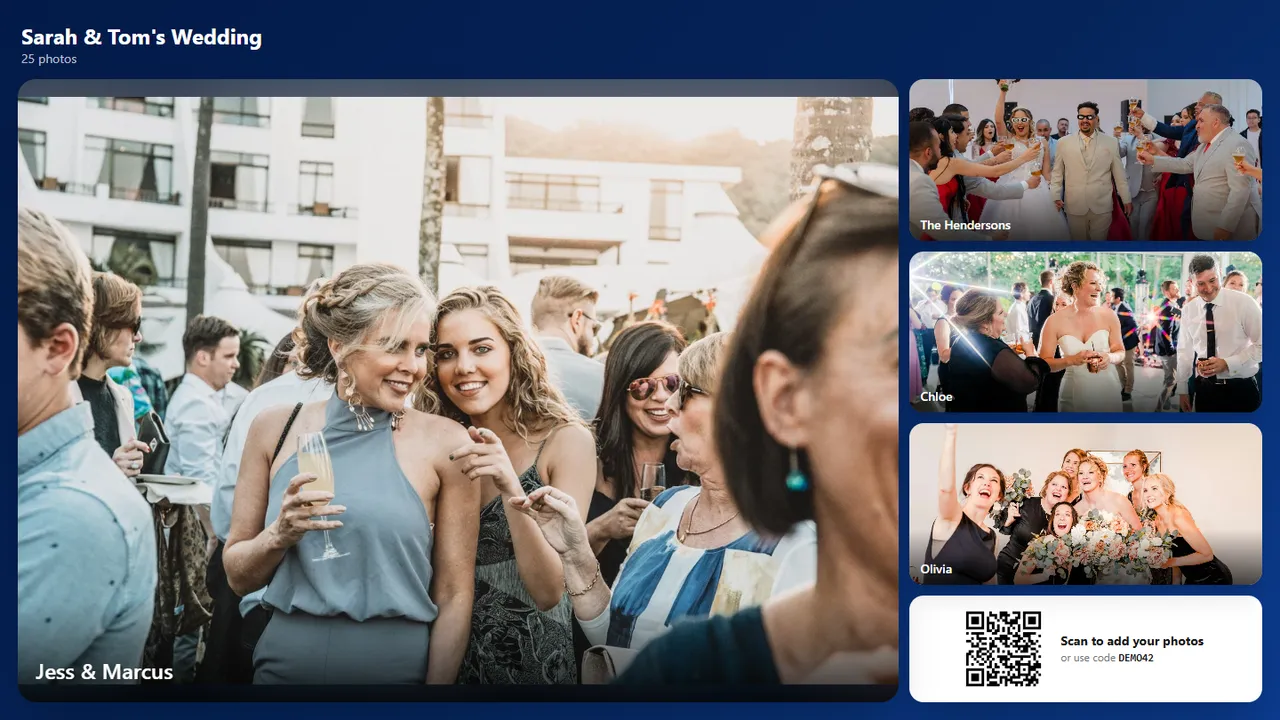
Set up a screen. A slideshow at the reception is the best advert there is: guests see their photos appear and add more. See our live photo wall guide.
Send a reminder the morning after. Everyone looks back through their camera roll the next day. A quick message with the link catches the photos they forgot to share.
On the day
Hand the job to someone else. The best man, a bridesmaid or a sibling can check the slideshow is running and nudge any table that hasn't shared anything yet.
Guests upload over the venue's Wi-Fi or their own mobile data. If the signal is patchy in an old barn or a country house, don't worry: the link keeps working after the day, so guests can share their photos when they get home.
The slideshow on the screen at the reception, with the QR code in the corner
Let guests leave a message
Alongside the photos, a digital guestbook lets guests leave you a note, with a photo if they like. It's a lovely thing to read on the way home, and guests who couldn't come can sign it too.
After the wedding
Download everything. Download all the originals in one zip file, or choose your favourites. They're the full-quality files exactly as your guests' phones saved them.
Let guests download too. On Standard and Premium you can let guests download photos, which saves you sending them round.
Keep the best ones safe. Every plan keeps your photos for a set time after the event, and DropSnaps emails you two weeks before anything is removed. Save the originals somewhere permanent before then.
Make something with them. Guests heart their favourites, which makes it easy to pick photos for thank-you cards, an album or prints.
Privacy and etiquette
A photo-sharing page is only as private as its link, so share it with your guests rather than posting it publicly. A few good habits:
If it matters to you, ask guests not to post photos publicly until you've shared your own.
Think about children: some parents won't want their children's photos shared widely.
Know how to remove things. You can hide or delete any photo, and guests can delete what they shared.
Our privacy guide covers PINs, approvals and what happens if something unsuitable is shared.
A quick checklist
Event created and tested on your own phone
Privacy settings chosen: PIN, findable by name, approval