Live photo walls and reception slideshows: a practical guide
What you need to show guests' photos on a TV or projector as they arrive, where to put the screen and how to keep it family-friendly.
Updated · 7 min read·By the DropSnaps team
Questions people ask
What do I need for a live photo wall at a wedding?
A screen (a TV, a projector or a laptop), an internet connection at the venue, and a photo-sharing page with a slideshow. The simplest set-up is a laptop plugged into the venue's screen with the slideshow open in full screen.
Can I stop unsuitable photos appearing on the screen?
Yes. Turn on approval so nothing appears until you or someone you trust has seen it, and hide or delete anything at any time. With DropSnaps, anything you hide also disappears from a slideshow that is already running, within seconds.
A live photo wall shows your guests' photos on a screen as they share them. It's part entertainment, part advert: guests love seeing their photos appear, and every new one reminds someone else to add theirs. This guide covers what you need, where to put the screen and how to keep it suitable for everyone.
Live wall or slideshow?
With DropSnaps you get both, and they do different jobs.
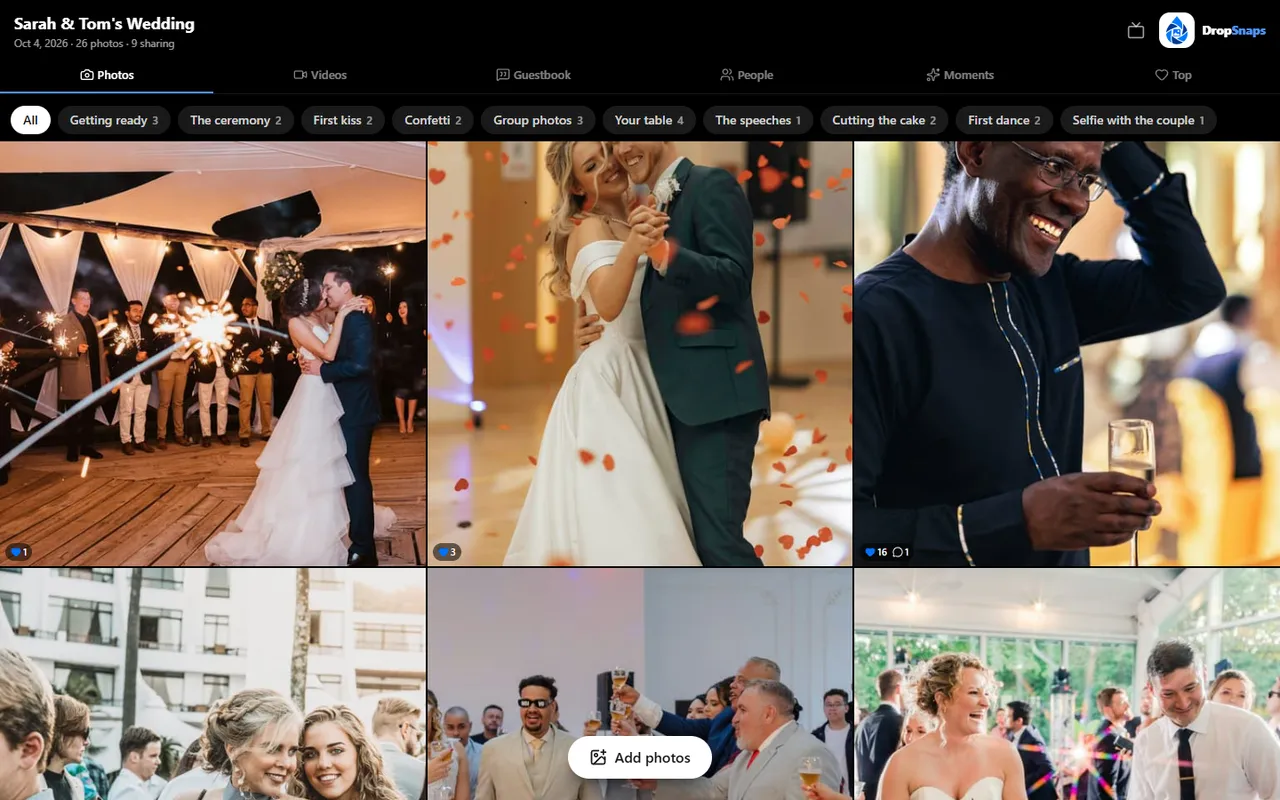
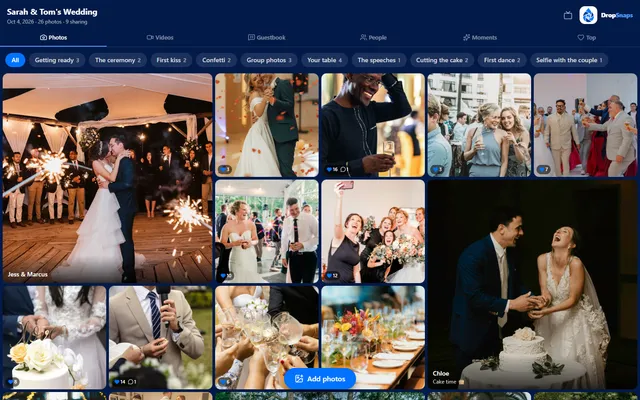
The live wall is a grid of everyone's photos, a bit like an Instagram profile. Guests browse it on their own phones, heart their favourites and comment, and it updates as new photos arrive. It works on a screen too.
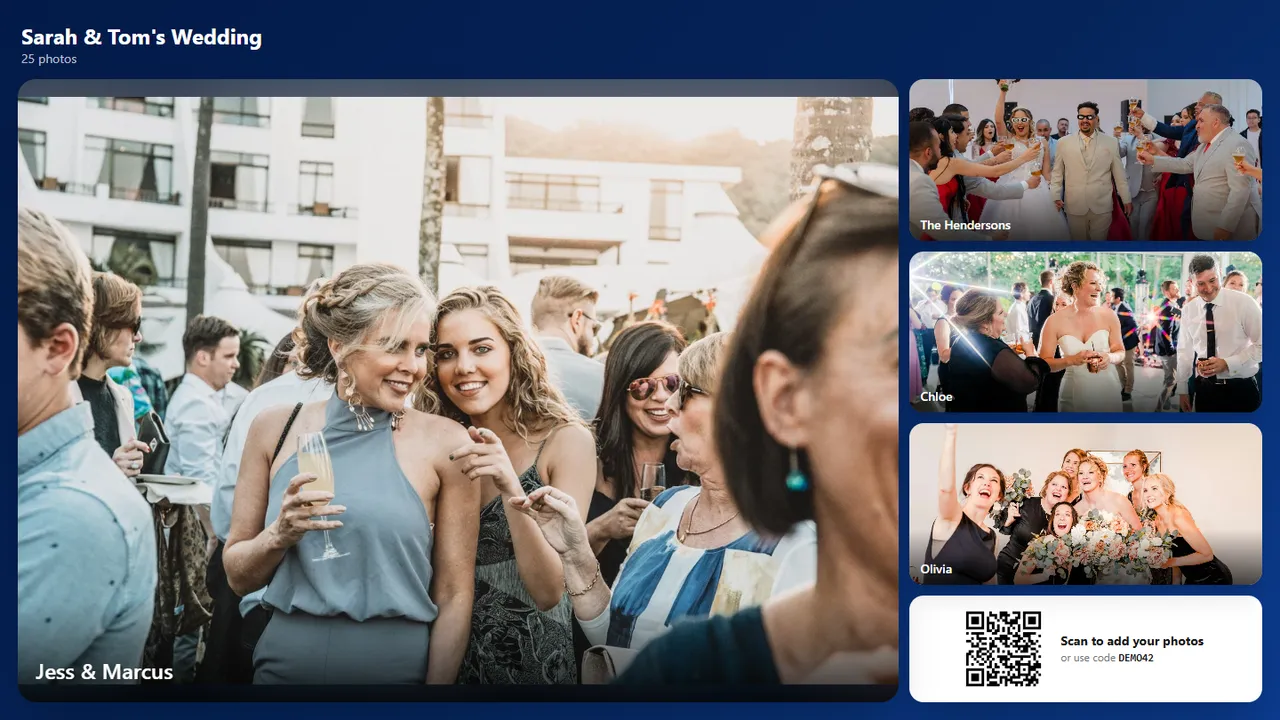
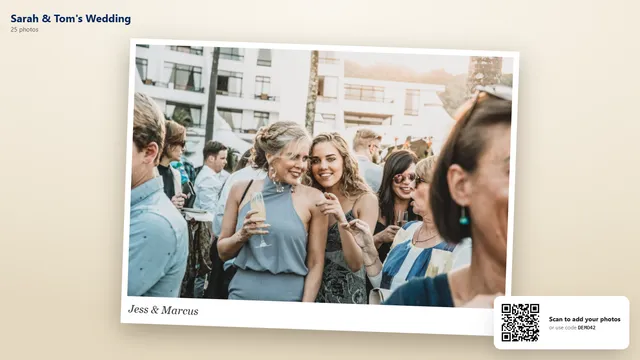
The slideshow is made for the big screen. It shows photos full size, one at a time or as a collage, puts newly shared photos at the front of the queue, and keeps a QR code in the corner so anyone watching can join in.
The slideshow, with the QR code in the corner for anyone who wants to join in
What you need
A screen. A TV, a projector or a large monitor. Many venues have one; ask when you book.
Something to run the slideshow. The simplest option is a laptop plugged into the screen with an HDMI cable, with the slideshow open full screen in the browser. A smart TV's own browser can work too, but test it first, as some are slow.
An internet connection. Venue Wi-Fi is best. If there isn't any, a phone's mobile hotspot will do for the slideshow, as long as the signal is reasonable.
Power. Long receptions drain laptop batteries, so plug it in.
Where to put the screen
Somewhere guests pass often but don't have to stand in front of for long:
Near the bar, where people wait and chat.
Beside the dance floor, where the slideshow becomes part of the party.
In the drinks reception area, so the wall starts filling up before the meal.
Avoid putting it behind the top table during the speeches, where it competes for attention, and anywhere a projector beam crosses a doorway.
Choose a look
DropSnaps has three looks for the wall and three for the slideshow: a clean grid, a mosaic and polaroid-style prints for the wall, and classic, collage and polaroid for the slideshow. Choose them in your event's settings and change them whenever you like.
The mosaic look for the live wallThe polaroid look for the slideshow
Keep it suitable for everyone
A screen in front of grandparents and children needs a little care.
Approve before showing. Turn on approval and nothing appears until you've approved it, which you can do from your phone. It's worth it for large or formal weddings.
Hide or delete anything. You can remove any photo at any time. With DropSnaps, a photo you hide also disappears from a slideshow that is already running, within a few seconds, so there's no need to restart anything.
Guests can report. Anyone can report a photo or message to us. Anything reported as sexual content is hidden straight away while we look at it.
Turn it off. You can close uploads or switch the wall off at any time.
Open the slideshow at the venue during set-up or a visit beforehand. Check the screen, the cable and the Wi-Fi, then upload a test photo from your phone and watch it appear.
Make it part of the evening
Mention the screen in the announcement: "everything you share appears on the screen by the bar".
Ask a few friends to share photos early, so the wall isn't empty when guests first see it.
Leave it running through the evening. The dance floor photos are often the best of the day.