
Photo sharing for work events
Every attendee's photos from your event, in one place
DropSnaps is a photo-sharing page for conferences, awards nights, team days and work parties. Attendees scan a QR code and add photos and videos from their phone's browser, with no app or account. Show them on the big screen with approval switched on, then download every original for your newsletter, intranet or social channels. It's free for up to 50 photos.

How it works
- STEP 1
Create the event
Add its name, a welcome message and a cover photo. Choose "Another kind of event" and add tags such as "The team" and "Behind the scenes" in one tap, or your own, like session names.
- STEP 2
Put the QR code where people gather
On the screens between sessions, the registration desk, the tables and the bar, or in the joining instructions. Attendees scan it with their phone camera.
- STEP 3
Show it, then use it
Play the live slideshow on the big screen with approval on. Afterwards, download every photo and video in full quality.
What you get
Nothing to install
It opens in any phone's browser, so attendees, guests and clients can share in seconds, with no app or account.
Approve before it's on screen
Turn on approval and nothing appears on the wall or the slideshow until you've seen it. Hide or delete anything at any time.
A slideshow for the big screen
Full screen in a browser on the venue's screen, newest photos first, with the QR code in the corner so more people join in.
Tags for sessions and moments
Up to 30 moment tags, such as "Keynote", "Awards" or "The team". Each one becomes an album.
Full-quality originals
Photos are kept exactly as they were taken. Download everything in one zip for your marketing, newsletter or annual report.
Private when it needs to be
Add a PIN for internal events, and turn off "Findable by name" so only people with your link or QR code can open it.
Ideas for every kind of work event
- Conferences and summits: show the QR code on the screens between talks, and tag photos by session or stage.
- Awards nights: approval on, the slideshow on the big screen, and a tag for each award.
- Christmas and summer parties: tags like "Best dressed" and "Funny moments", and a PIN so the photos stay in the company.
- Team days and away days: a photo challenge for each team, with a prize for the best shots.
- Leaving dos and retirements: colleagues share old photos and leave messages in the guest book, which you can download as text or a spreadsheet, or print as a keepsake book on Premium.
- Product launches and open days: collect guests' photos and videos of the day in one place, in full quality.
Photos of people at work: good practice
Photos of colleagues and guests are personal, so be open about them. Say in the joining instructions or on the welcome screen that photos are being shared and where they'll be shown, and offer a way to opt out, such as a coloured lanyard. People keep ownership of the photos they share, so ask before using them in public, and ask the people in them too. Turn off uploads when the event ends, and remember that everything is deleted automatically when the event's time is up: 30 days on Free and 12 months on Standard and Premium. You can delete the event sooner yourself.
What it costs
- Free: up to 50 photos, kept for 30 days. Enough for a small team event.
- Standard (£45): unlimited photos and videos within 100 GB, kept for 12 months.
- Premium (£99): 250 GB for big conferences and long videos, kept for 12 months.
One payment per event, VAT included, no subscription. See pricing for everything each plan includes.
Simple, per-event pricing
Pay once per event. No subscription. Prices include VAT.
- • Up to 50 photos
- • Live wall, reactions and guestbook
- • QR code, share link and print card
- • Kept for 30 days after your event
- • Unlimited photos and videos, no batch limits
- • 100 GB storage – around 30,000 photos
- • Original quality, never compressed
- • Videos up to 4 GB each; iPhone HEVC converted for every device
- • Unlimited photos and videos, no batch limits
- • 250 GB storage – around 75,000 photos
- • Original quality, never compressed
- • Videos up to 8 GB each; iPhone HEVC converted for every device
Questions people ask
Do attendees need to download an app?
No. They scan the QR code or open the link, and the event's page opens in their phone's browser. There's nothing to install and no account to create.
Can we stop unsuitable photos appearing on the big screen?
Yes. Turn on "Approve before showing" and nothing appears on the wall or the slideshow until you approve it. You can hide or delete anything later too, and attendees can report anything unsuitable.
Can we use the photos in our marketing?
You can download every photo and video in full quality. The people who shared them keep ownership, so ask them, and the people in the photos, before using them publicly. Saying so in the joining instructions makes it easy.
Is it private?
Add a PIN so only people who know it can see anything, and turn off "Findable by name" so the event can only be opened with your link, QR code or six-letter code.
How much does it cost?
Free for up to 50 photos. Standard (£45) and Premium (£99) are a one-off payment per event with VAT included, with unlimited photos and videos within their storage.
How long are the photos kept?
30 days on Free and 12 months on Standard and Premium, with the option to add more time. Download everything before then; we email you two weeks before anything is removed.
Guides

Photo sharing for birthdays, work events and celebrations of life
Collecting guests' photos at birthdays, parties, work events, reunions and funerals or celebrations of life.
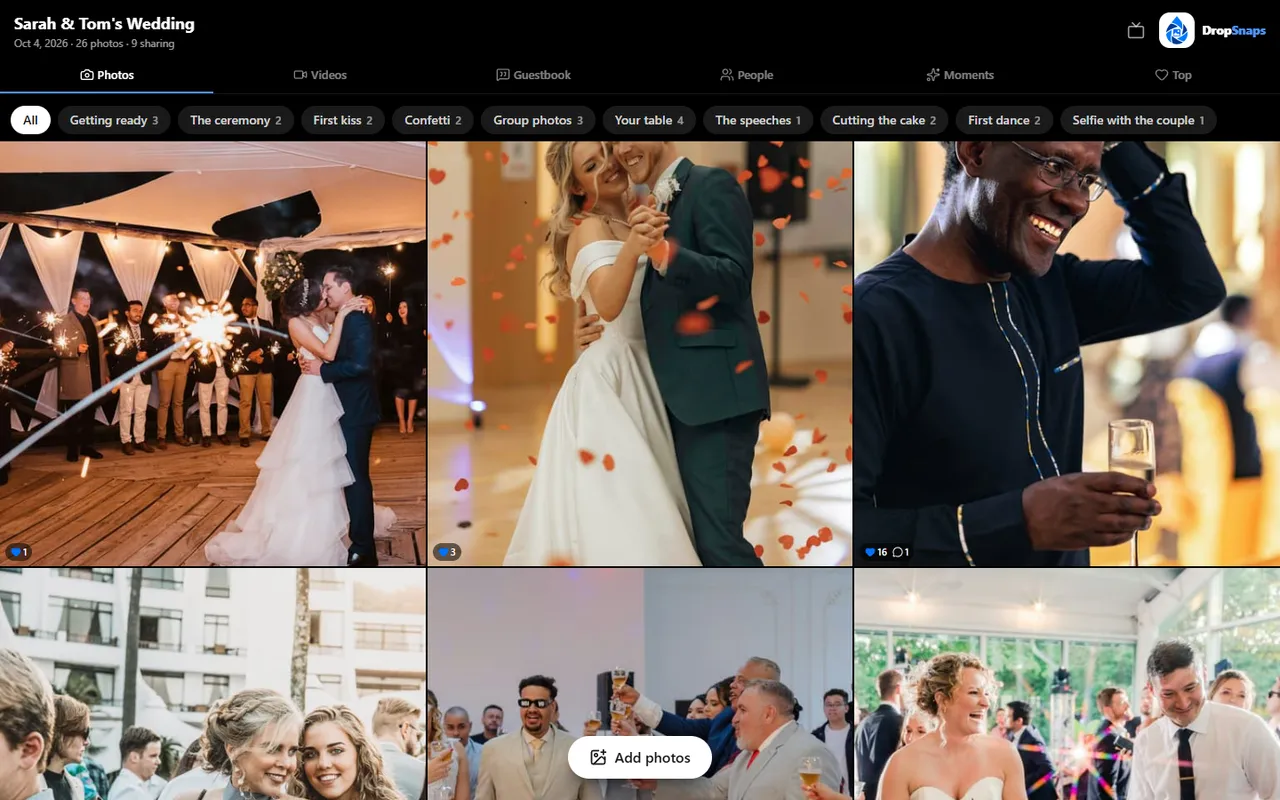
Live photo walls and reception slideshows: a practical guide
What you need to show guests' photos on a TV or projector as they arrive, where to put the screen and how to keep it family-friendly.
Keeping wedding photos private: PINs, approvals and who sees what
Who can see your guests' photos, how PINs and approvals work, photos of children and what happens if something unsuitable is shared.
Set it up in two minutes
Free to start. Print the QR card and your guests do the rest.